Offshore Development
Documentation
Outsourcing Consulting News
Customer for offshore quality assurance software testing project
The customer is a software company developing comprehensive solution for defragmenting NTFS and FAT32 disk volumes and running on all 32 and 64 bit Windows versions since 2000 to Vista / 2008.
Quality Assurance Testing Business Case
In order to reduce time-to-market of new generation of the products the customer decided to outsource offshore quality assurance software testing required to deliver high quality product to public.
Solosoft QA team provided full testing services to guarantee high quality product which does not have any P1, P2 or P3 defects. In order to reach this goal Solosoft QA team performed quality assurance functional testing, UI and usability validation, security analysis, configuration and scalability testing of both defragmenter and management console software.
Offshore quality assurance software testing documentation was delivered including test plans, test cases and reports (weekly and monthly) which were prepared by the offshore team to organize ongoing testing.
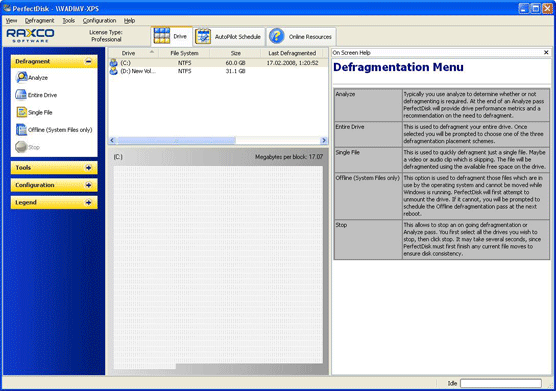
Offshore quality assurance software testing approach
-
Functional quality assurance testing was made to ensure that actual defragmentation is performed properly, according to specific defragmentation settings and schedule. Fragmenting, defragmenting and performance measuring tools were used to validate defragmentation efficiency and compare software performance to defragmenting software bundled to Windows operating system. Functionality of management console was checked for consistency with functional specification and documentation provided to end users.
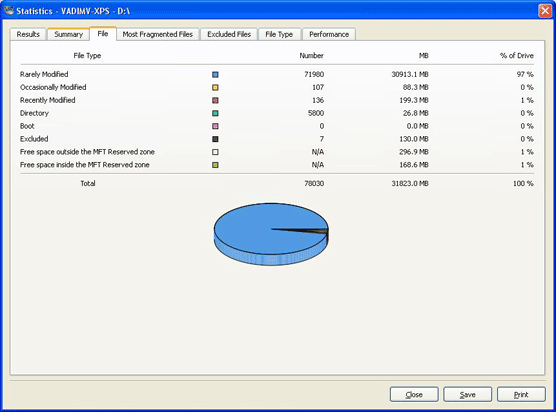
User interface quality assurance testing was made to validate whether the software matches Windows UI requirements and UI design guidelines provided by Microsoft.
Security analysis was made to ensure that credentials for accessing remote devices specified by users are not stored or passed in unencrypted form. A very detailed security analysis was not needed since communication between defragmentation software and centralized management console relies on Windows security.
Configuration testing was performed to check if the application works properly with all officially supported Windows versions, including 32 and 64 bit versions of operating systems.
Scalability testing was made to see how centralized management console behaves in environments with multiple client systems including 60+ client systems. Virtualization tools were used to emulate expected number of computers in "real-life" environment. QA testing documentation was created to guarantee sufficient testing coverage and to provide documentation for ongoing testing of the product.
Bug verification was performed to validate issues corrected by development team and check that fixes of certain bugs did not affect other application functionality.
Tools and Technologies
- Offshore quality assurance testing documentation: Microsoft Office applications, Microsoft Project
- Bug tracking software: Mantis bug tracker
- Virtualization tools: VirtualBox, VMWare player
- Fragmenting and analysis tools: FragGen, Windows Defragmenter, Perfmon, Event Viewer, Computer Management Console
- Operating systems: Windows 2000, XP, 2003, Vista
- Database Servers: Microsoft SQL Server 2000, 2005